Cloud Computing Services for Businesses: Benefits, Solutions, Costs & How to Choose the Right Provider
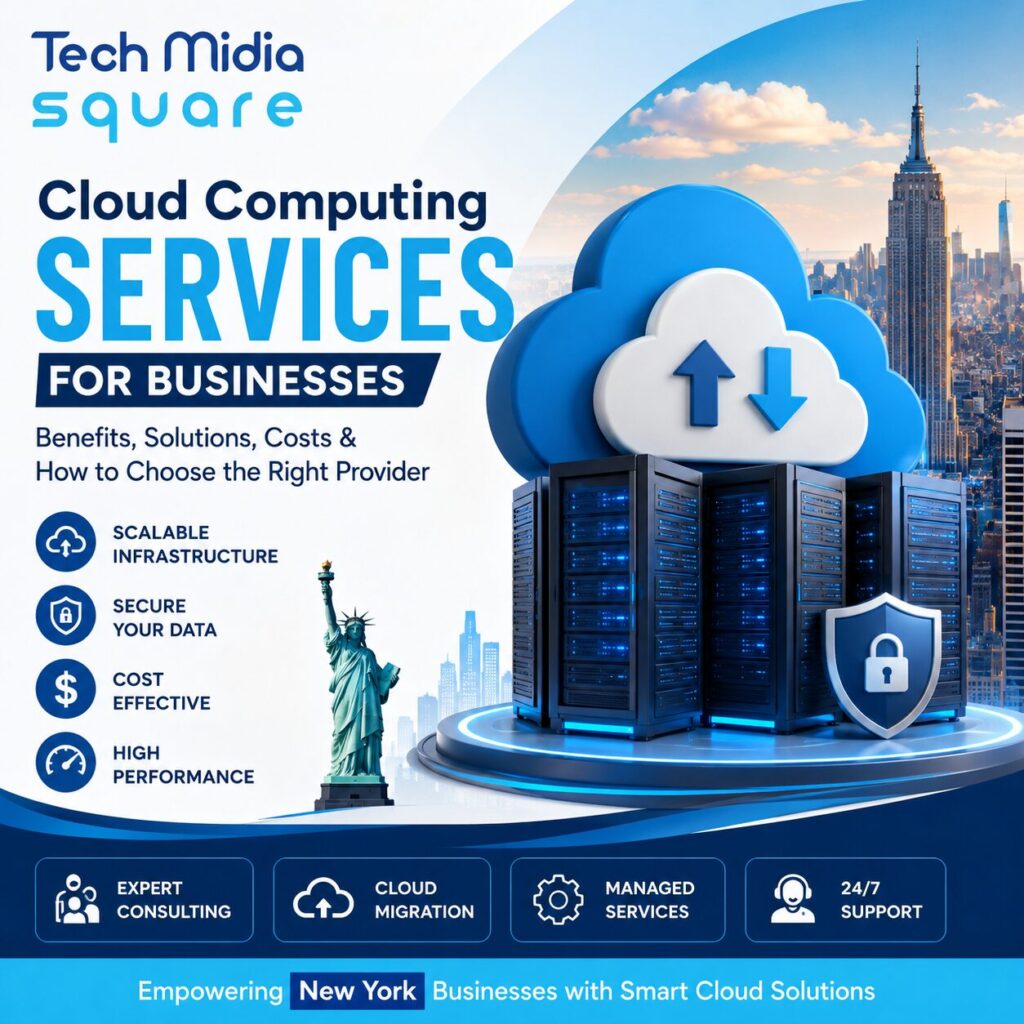
For businesses in New York, technology isn’t just about keeping up. It’s about staying competitive. From Manhattan startups to growing companies serving customers across the country, businesses need technology that can scale quickly without creating unnecessary infrastructure costs.
That’s where Cloud Computing Services come in.
Cloud technology allows businesses to access computing power, storage, applications, databases, networking, and security through the internet instead of relying entirely on physical servers. The right cloud strategy can make it easier to launch applications, support remote teams, protect business data, and respond to changing customer demand.
But choosing a cloud solution isn’t as simple as picking a provider and moving everything online. Businesses need to consider security, scalability, performance, migration requirements, compliance, and long-term costs.
This guide explains how cloud computing works, which solutions businesses can use, what cloud services may cost, and how New York companies can choose the right cloud computing service provider.
Table of Contents
- What Are Cloud Computing Services?
- Why Businesses in New York Are Moving to the Cloud
- Types of Cloud Computing Solutions
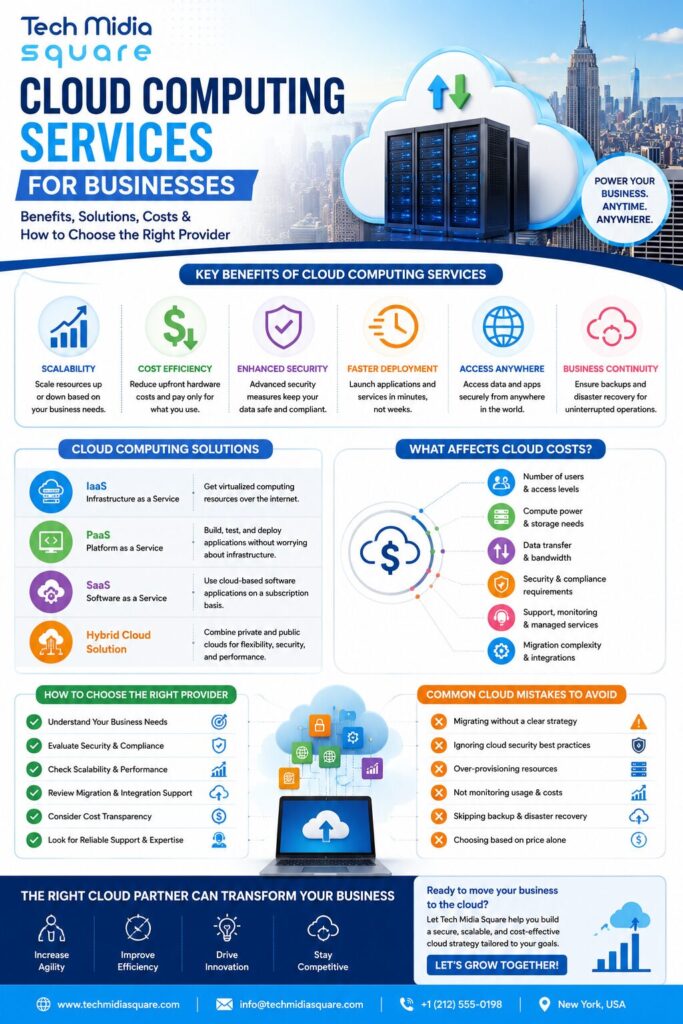
- Benefits of Cloud Computing Services for Businesses
- Cloud Computing Services vs. Traditional IT
- How Much Do Cloud Services Cost?
- How to Choose a Cloud Computing Service Provider
- Expert Tips for a Successful Cloud Strategy
- Common Cloud Computing Mistakes
- Frequently Asked Questions
- Conclusion
What Are Cloud Computing Services?
Cloud Computing Services provide on-demand access to computing resources such as servers, storage, databases, applications, networking, and security over the internet.
Instead of purchasing and maintaining all the hardware themselves, businesses can use cloud infrastructure based on their requirements.
For example, imagine a New York e-commerce company preparing for a holiday promotion. Its website normally handles 10,000 visitors a day, but the campaign could bring 50,000 visitors.
With scalable cloud infrastructure, the company can increase computing resources during the traffic spike and reduce them afterward.
That’s one of the biggest advantages of cloud technology: businesses can adapt their technology environment to real-world demand.
Why Businesses in New York Are Moving to the Cloud
New York has a diverse business environment, from financial services and healthcare companies to professional services, retail brands, SaaS companies, and startups.
Many of these organizations need technology that supports growth without requiring a large investment in physical infrastructure.
Cloud computing solutions can help businesses:
- Support remote and hybrid teams
- Scale applications as demand changes
- Improve access to business data
- Reduce dependence on physical servers
- Strengthen backup and disaster recovery
- Deploy applications faster
- Support business expansion
- Improve infrastructure flexibility
For a growing company, this flexibility can be particularly valuable. Instead of waiting weeks to purchase and configure new hardware, teams can often provision cloud resources much faster.
Types of Cloud Computing Solutions
Not every company needs the same cloud environment. The right approach depends on business requirements, applications, security needs, and budget.
Infrastructure as a Service (IaaS)
IaaS provides fundamental computing resources such as virtual machines, storage, and networking.
It’s useful for companies that want greater control over their infrastructure without owning and maintaining physical data center equipment.
Platform as a Service (PaaS)
PaaS provides developers with an environment for building, testing, and deploying applications.
It can reduce the amount of infrastructure management developers need to handle, allowing them to focus more on application development.
Software as a Service (SaaS)
SaaS delivers software applications through the internet.
Common business examples include cloud-based email, collaboration tools, customer relationship management platforms, accounting software, and project management applications.
Hybrid Cloud Solutions
A hybrid cloud combines private infrastructure with public cloud resources.
This approach can be useful for organizations that need to keep certain workloads in controlled environments while using public cloud services for scalability and flexibility.
Benefits of Cloud Computing Services for Businesses
The value of cloud technology goes beyond simply moving servers online.
1. Scalability
Businesses can adjust computing resources as demand changes.
A startup can begin with a smaller environment and expand as its customer base grows. An established company can increase resources during seasonal demand without permanently maintaining oversized infrastructure.
2. Greater Flexibility
Employees can access approved applications and information from different locations, supporting modern hybrid and remote work environments.
3. Potential Cost Efficiency
Traditional infrastructure often requires significant spending on hardware, maintenance, upgrades, cooling, and physical facilities.
Cloud services can shift some infrastructure costs toward usage-based or subscription models.
However, cloud isn’t automatically cheaper. Poor resource management can create unnecessary spending.
4. Business Continuity
Cloud-based backup, redundancy, and disaster recovery strategies can help businesses prepare for hardware failures, outages, accidental deletion, and other disruptions.
5. Faster Deployment
Cloud infrastructure services can allow businesses to provision computing resources more quickly than traditional hardware procurement.
This can help development teams launch and test new applications faster.
6. Better Access to Modern Technology
Cloud platforms provide access to advanced infrastructure, databases, analytics, automation, artificial intelligence, and other technologies without requiring every business to build those capabilities from scratch.
Cloud Computing Services vs. Traditional IT
| Factor | Cloud Computing | Traditional IT Infrastructure |
|---|---|---|
| Infrastructure | Internet-based resources | Physical hardware |
| Scalability | Highly flexible | Requires additional hardware |
| Upfront investment | Usually lower | Often higher |
| Maintenance | Shared or managed responsibility | Primarily internal |
| Deployment | Generally faster | Can take longer |
| Remote access | Built into many solutions | May require additional systems |
| Resource management | Can be automated | Often more manual |
The best choice isn’t always one or the other. Some organizations benefit from a hybrid approach based on workload, compliance, performance, and operational requirements.
How Much Do Cloud Services Cost?
There’s no universal price for cloud computing services.
The total cost depends on several factors, including:
- Number of users
- Computing requirements
- Storage capacity
- Data transfer
- Application architecture
- Security requirements
- Backup and disaster recovery
- Migration complexity
- Support and management
- Cloud provider and service model
A small business running a few applications will have very different requirements from a financial services company operating high-volume systems.
How to Control Cloud Costs
Businesses can improve cloud cost management by:
- Removing unused resources.
- Monitoring resource consumption regularly.
- Setting budgets and alerts.
- Choosing appropriate instance or service sizes.
- Automating resources that don’t need to run continuously.
- Reviewing storage and data transfer expenses.
- Evaluating workloads before migrating them.
How to Choose a Cloud Computing Service Provider
Choosing a cloud computing service provider should start with business requirements, not simply the lowest advertised price.
Look for a provider that can demonstrate expertise in:
Security
Ask how data, applications, identities, and infrastructure are protected.
Scalability
Make sure the solution can support future business growth.
Migration
If you’re moving from physical servers or another cloud platform, evaluate the provider’s cloud migration services and methodology.
Integration
Your cloud environment should work with the systems your business already uses.
Reliability
Review backup, redundancy, monitoring, disaster recovery, and support processes.
Technical Expertise
A strong provider should understand cloud architecture, infrastructure, security, application requirements, and business objectives.
Ongoing Support
Cloud environments require monitoring and optimization after migration. Ask what happens after implementation, not just during the initial project.
Expert Tips for New York Businesses
Start with business goals. Don’t migrate technology simply because cloud adoption is popular. Identify what you want to improve first.
Audit your existing environment. Understand your applications, databases, dependencies, storage, security requirements, and current infrastructure costs.
Migrate in phases. Moving everything simultaneously can increase risk. Start with suitable workloads, learn from the process, and expand gradually.
Build security into the architecture. Security shouldn’t be treated as an afterthought after migration.
Monitor continuously. Cloud environments change over time. Regular monitoring can uncover performance problems, security gaps, and unnecessary spending.
Common Cloud Computing Mistakes
Businesses can run into problems when cloud adoption happens without proper planning.
Common mistakes include:
- Moving applications without evaluating dependencies
- Choosing services based only on price
- Ignoring cloud security
- Failing to monitor usage
- Overprovisioning resources
- Underestimating migration complexity
- Not planning disaster recovery
- Treating cloud migration as a one-time project
A good cloud consulting services strategy should address these issues before implementation begins.
Frequently Asked Questions
What are cloud computing services?
Cloud computing services provide internet-based access to resources such as computing power, storage, databases, networking, applications, and security.
What are the main benefits of cloud computing for businesses?
The major benefits include scalability, flexibility, faster deployment, easier remote access, business continuity, and access to modern technology.
Are cloud computing services suitable for small businesses?
Yes. Small businesses can use cloud services to access enterprise-level infrastructure and software without necessarily investing heavily in physical hardware.
How much do cloud computing services cost?
Costs vary based on computing resources, storage, users, applications, security, data transfer, migration requirements, and ongoing management.
Is cloud computing secure?
Cloud environments can provide strong security capabilities, but security still depends on proper architecture, configuration, identity management, monitoring, access controls, and business practices.
What is cloud migration?
Cloud migration is the process of moving applications, data, workloads, or infrastructure from an existing environment to a cloud platform.
How do I choose the right cloud provider?
Evaluate security, scalability, reliability, technical expertise, migration capabilities, integrations, support, and total cost rather than choosing solely on price.
Conclusion
Cloud technology has become an important part of modern business infrastructure. For companies in New York, the right Cloud Computing Services can provide the flexibility to grow, support distributed teams, modernize applications, and respond to changing market demands.
However, successful cloud adoption requires more than moving data and applications to the cloud. Businesses need a strategy that considers architecture, security, migration, performance, scalability, and cost management.
Whether you’re planning your first cloud migration or looking to optimize an existing environment, the right cloud computing solutions for businesses should align technology decisions with measurable business goals.
Looking for Cloud Computing Solutions?
Tech Midia Square helps businesses explore practical technology solutions designed around their infrastructure, applications, scalability, and growth requirements.
If you’re evaluating cloud migration services, cloud infrastructure services, managed cloud services, or business cloud solutions, start with a clear assessment of your current environment and future requirements.
Explore Cloud Computing Services with Tech Midia Square and find a cloud strategy built around your business goals.