Website Redesign SEO Checklist: How to Protect Existing Rankings
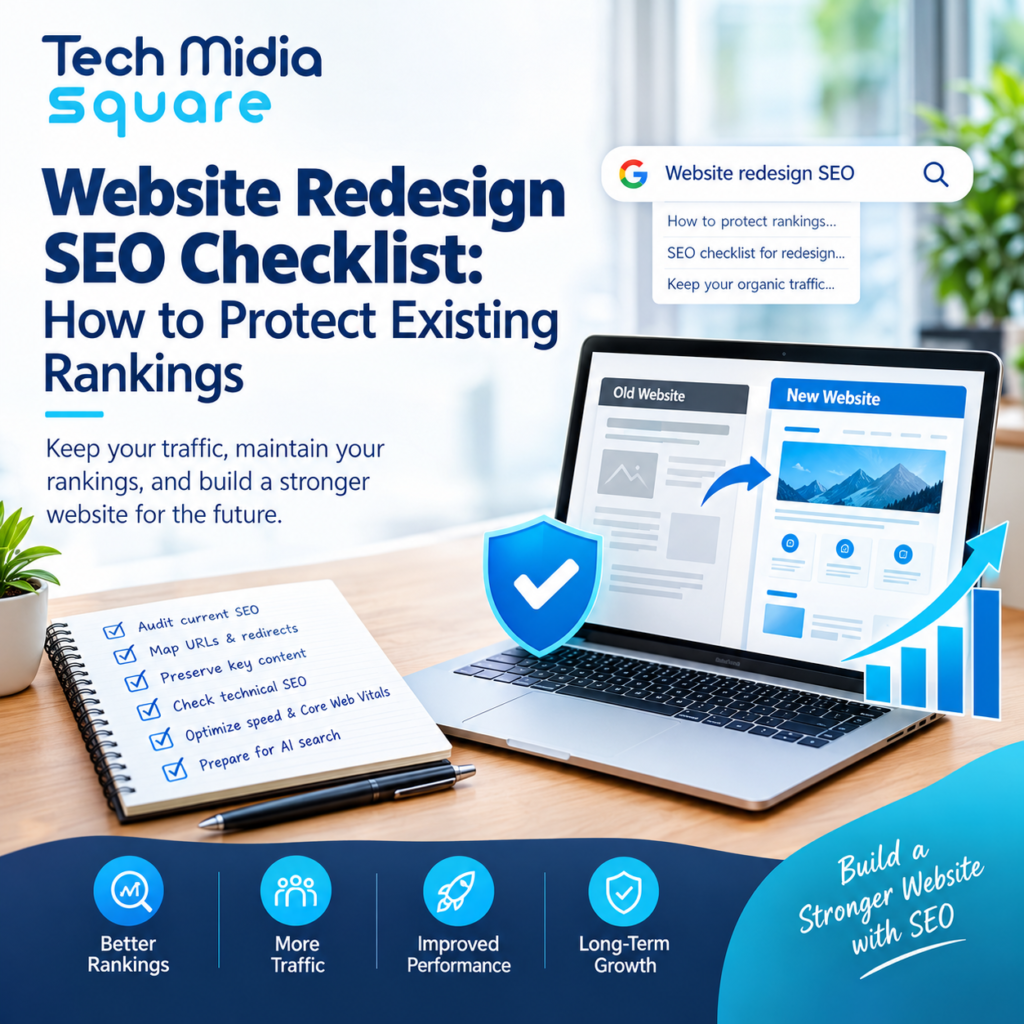
A website redesign can make your business look more professional, improve user experience, and generate more leads. However, if SEO isn’t part of the redesign process, you could lose valuable organic traffic, existing keyword rankings, and potential customers.
Imagine your business website ranks on Google’s first page for several important keywords. After launching a redesigned website, those pages disappear from search results because URLs changed, redirects were missed, or important content was removed. Recovering that lost visibility can take time.
That’s why SEO needs to be considered before, during, and after a website redesign.
In this guide, Tech Midia Square explains how to protect existing rankings during a website redesign, avoid common technical SEO problems, and maintain visibility across traditional search engines and AI-powered search experiences.
Why SEO Matters During a Website Redesign
Website redesign SEO is the process of preserving and improving a website’s organic search visibility while changing its design, structure, content, or technology.
Search engines rely on signals such as page content, internal links, redirects, canonical tags, and crawlability to understand website pages. A redesign can unintentionally change these signals.
For example, an established service page at /seo-services/ might be replaced with a new URL. Without a relevant redirect and updated internal links, search engines and visitors may encounter a broken page or lose access to the original content.
A well-planned redesign helps businesses:
- Preserve existing Google rankings and organic traffic.
- Maintain backlinks and valuable referring domains.
- Improve website speed and Core Web Vitals.
- Strengthen mobile usability and conversion rates.
- Maintain eligibility for search results and AI-powered discovery.
Website Redesign SEO Checklist
Follow these steps before publishing your redesigned website.
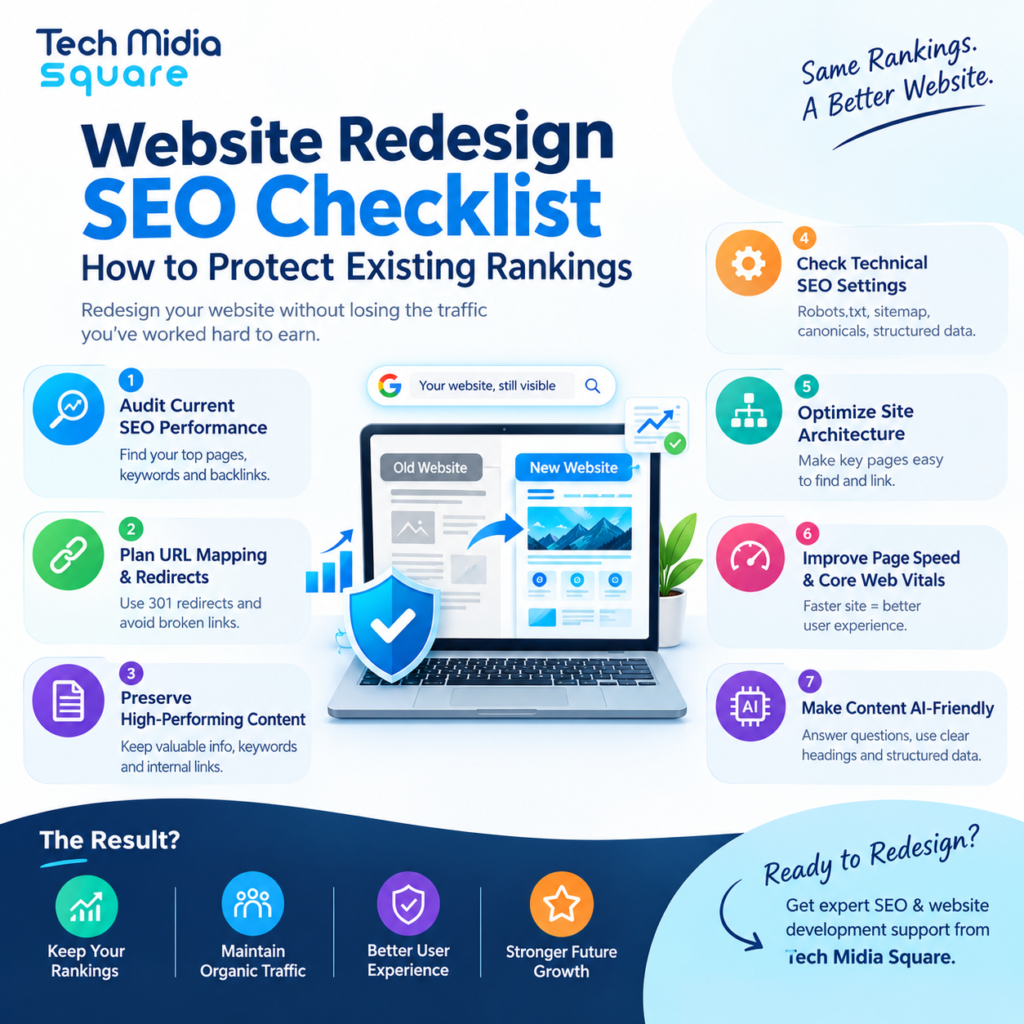
1. Audit Existing SEO Performance
Before changing anything, establish a baseline for your website’s current performance.
Use Google Search Console, Google Analytics, and a website crawling tool to identify:
- Pages receiving the most organic clicks and impressions.
- High-value keywords and their current positions.
- Landing pages generating leads or sales.
- URLs with valuable external backlinks.
- Pages with indexing, crawlability, or technical issues.
Practical tip: Export at least three to six months of Google Search Console data when available. This helps you compare performance after launch and account for normal fluctuations.
2. Create a URL Mapping and Redirect Plan
URL changes are among the most important risks during a website redesign.
Create a spreadsheet mapping every existing URL to its corresponding destination on the new website.
| Existing URL | New URL | SEO Action |
|---|---|---|
/old-seo-services/ | /seo-services/ | 301 redirect |
/blog/seo-checklist/ | /blog/seo-checklist/ | Keep URL unchanged |
/outdated-service/ | Relevant replacement page | Redirect if appropriate |
Use permanent 301 redirects when a page has genuinely moved. Redirect each old URL to its closest relevant replacement, rather than sending every deleted page to the homepage.
After implementation, test redirects for redirect chains, loops, broken destinations, and incorrect mappings.
3. Preserve High-Performing Content
A new design doesn’t automatically require new content.
Review existing pages before rewriting them. Preserve useful information, important headings, relevant keywords, internal links, and content that satisfies search intent.
If a service page ranks for Chicago SEO services, removing its location-specific information could weaken its relevance to that search.
Improve content where necessary, but avoid making substantial changes to successful pages simply to fit a new visual layout.
4. Check Technical SEO Settings
A website may look perfect to visitors while accidentally blocking search engines.
Review these technical elements before launch:
- Robots.txt rules and meta robots directives.
- XML sitemap accuracy.
- Canonical tags on important pages.
- HTTP status codes and redirect behavior.
- Mobile rendering and responsive layouts.
- Structured data validity.
- HTTPS configuration and mixed-content issues.
- Internal links and breadcrumb navigation.
Also, verify that staging-site noindex directives or password restrictions aren’t accidentally carried into production.
5. Optimize Site Architecture and Internal Linking
Your redesigned website should make important pages easy to discover.
Organize content into clear service categories, supporting blog articles, and relevant location pages. Use descriptive anchor text that explains what visitors will find after clicking.
For example, an article about protecting rankings during a redesign could link naturally to Tech Midia Square’s SEO services page.
Relevant internal links help users navigate the site and help search engines understand relationships between pages.
6. Review Page Speed and Core Web Vitals
A redesign is an opportunity to improve performance, but large images, excessive JavaScript, and unnecessary third-party scripts can make a website slower.
Compress images, use modern image formats where appropriate, minimize unnecessary scripts, and test mobile performance.
Google’s Core Web Vitals measure real-world loading performance, responsiveness, and visual stability. Aim for these recommended thresholds:
| Metric | Good Performance |
|---|---|
| Largest Contentful Paint (LCP) | 2.5 seconds or less |
| Interaction to Next Paint (INP) | 200 milliseconds or less |
| Cumulative Layout Shift (CLS) | 0.1 or less |
These metrics support a better user experience, although meeting them alone doesn’t guarantee higher rankings.
7. Make Content Easy to Understand in AI Search
Traditional SEO and AI search visibility share important foundations, including crawlable pages, helpful content, and clear information.
To support Answer Engine Optimization (AEO) and Generative Engine Optimization (GEO):
- Answer the main question near the beginning of each important page.
- Use descriptive headings and concise explanations.
- Include original examples, expert insights, and verifiable information.
- Keep company details, service descriptions, and contact information consistent.
- Use relevant structured data without adding misleading claims.
These practices can help search systems interpret your content, but they don’t guarantee citations in Google AI Overviews, ChatGPT, Gemini, or Perplexity.
Essential Technical SEO Checks Before Launch
Before making the new website publicly available, crawl the staging site and compare it with the existing website. Check important pages, status codes, metadata, canonical tags, internal links, and indexability.
Prioritize pages that already generate qualified leads, organic traffic, or valuable backlinks. Fix critical errors before launch whenever possible.
SEO vs. Non-SEO Website Redesign
| Area | SEO-Focused Redesign | Redesign Without SEO Planning |
|---|---|---|
| URL changes | Mapped redirects | Broken or irrelevant destinations |
| Content | Preserves valuable information | Removes useful ranking content |
| Technical setup | Tests indexing and canonicals | May block crawling accidentally |
| Performance | Measures mobile speed | Focuses mainly on appearance |
| Monitoring | Tracks traffic and rankings | Identifies losses late |
The difference is planning. SEO should be involved from the beginning, not added after the new website is live.
How to Monitor SEO After Launch
The launch isn’t the end of the process. Monitor the redesigned website closely during the first several weeks.
During the First 24–72 Hours
- Test important redirects and page status codes.
- Check robots.txt, canonical tags, and indexing directives.
- Submit the updated XML sitemap in Google Search Console.
- Confirm analytics and conversion tracking are working.
During the Following Two to Four Weeks
- Monitor indexing, organic clicks, impressions, and landing pages.
- Check for unexpected 404 errors and redirect problems.
- Compare performance with the pre-launch baseline.
- Investigate significant declines in important pages or queries.
Some ranking fluctuations are normal. However, persistent declines should trigger a technical audit rather than an assumption that Google simply needs more time.
Expert Tips for Protecting Existing Rankings
- Keep important URLs unchanged whenever practical. A visual redesign doesn’t require a URL change.
- Back up the original website. Keep copies of content, metadata, redirects, and technical settings.
- Test a staging website. Crawl the staging environment before launch and compare it with the existing site.
- Prioritize business-critical pages. Review lead-generating service pages and high-performing blog posts first.
- Coordinate SEO and development teams. Share the redirect map, launch checklist, and testing responsibilities.
- Document the launch. Record the launch date and major changes so you can investigate performance movements accurately.
Common Website Redesign SEO Mistakes
Avoid these frequent problems:
- Launching without a complete redirect map.
- Deleting pages with valuable traffic or backlinks.
- Changing URLs, content, and navigation simultaneously without a clear reason.
- Leaving staging-site indexing restrictions in place.
- Forgetting to update internal links and XML sitemaps.
- Assuming a visually attractive website is automatically SEO-friendly.
- Measuring success only through keyword rankings instead of traffic and conversions.
Frequently Asked Questions
Can a website redesign hurt SEO rankings?
Yes. A redesign can reduce rankings if it introduces broken URLs, removes valuable content, disrupts internal linking, or creates crawlability and indexing problems. Proper planning and testing help reduce these risks.
How do I protect SEO rankings during a website migration?
Audit existing pages, map old URLs to relevant new destinations, implement 301 redirects, preserve valuable content, test technical settings, and monitor Google Search Console after launch.
How long does SEO recovery take after a website redesign?
There isn’t a fixed recovery period. Search engines need time to recrawl and process changes, and the outcome depends on the quality of implementation, the scale of the redesign, and the issues involved. Preventing avoidable problems is more effective than relying on recovery.
Should I change URLs during a website redesign?
Only when there’s a clear reason. Keeping established URLs unchanged reduces migration complexity. If a URL must change, use a relevant permanent redirect and update internal links, canonicals, and sitemaps.
How can I check whether my redesigned website is SEO-friendly?
Use Google Search Console, Google Analytics, a technical crawling tool, PageSpeed Insights, and manual checks. Review indexing, redirects, metadata, mobile usability, Core Web Vitals, internal links, and conversion tracking.
Does website redesign SEO affect AI search visibility?
It can. If a redesign makes important pages inaccessible, removes useful information, or introduces technical issues, it may affect the website’s discoverability in search systems. Clear, helpful content and sound technical foundations support both traditional SEO and AI search visibility.
Conclusion
A successful website redesign should improve the user experience without sacrificing the organic visibility your business has already earned.
By auditing existing performance, protecting valuable URLs, implementing relevant redirects, preserving useful content, and monitoring technical SEO after launch, you can reduce avoidable ranking losses and build a stronger foundation for future growth.
SEO, AEO, and GEO should all be considered during planning, but the priority remains the same: create a technically accessible website that gives users clear, useful answers.
Protect Your Website’s Search Visibility With Tech Midia Square
Planning a website redesign or migration? Tech Midia Square helps businesses approach SEO, technical optimization, website development, and AI search visibility with a focus on sustainable organic growth.
Before launching your new website, review your existing rankings, URL structure, technical setup, and content strategy with an experienced SEO team.
Ready to plan your redesign? Visit Tech Midia Square to explore SEO and website development services and discuss how to protect your website’s organic search performance.
Explore SEO Services | Explore Website Development Services | Contact Tech Midia Square